Structured AI feedback using the AI you already have. Curated prompts, rubric-based scores, and phrase-level coaching — free forever.




Get structured TOEFL® Writing feedback with a tool built just for Writing practice.
 OpenPrep
Many all-in-one prep courses cover Reading, Listening, Speaking, and Writing. If Writing is the only section you want to focus on, OpenPrep starts where you actually need help.
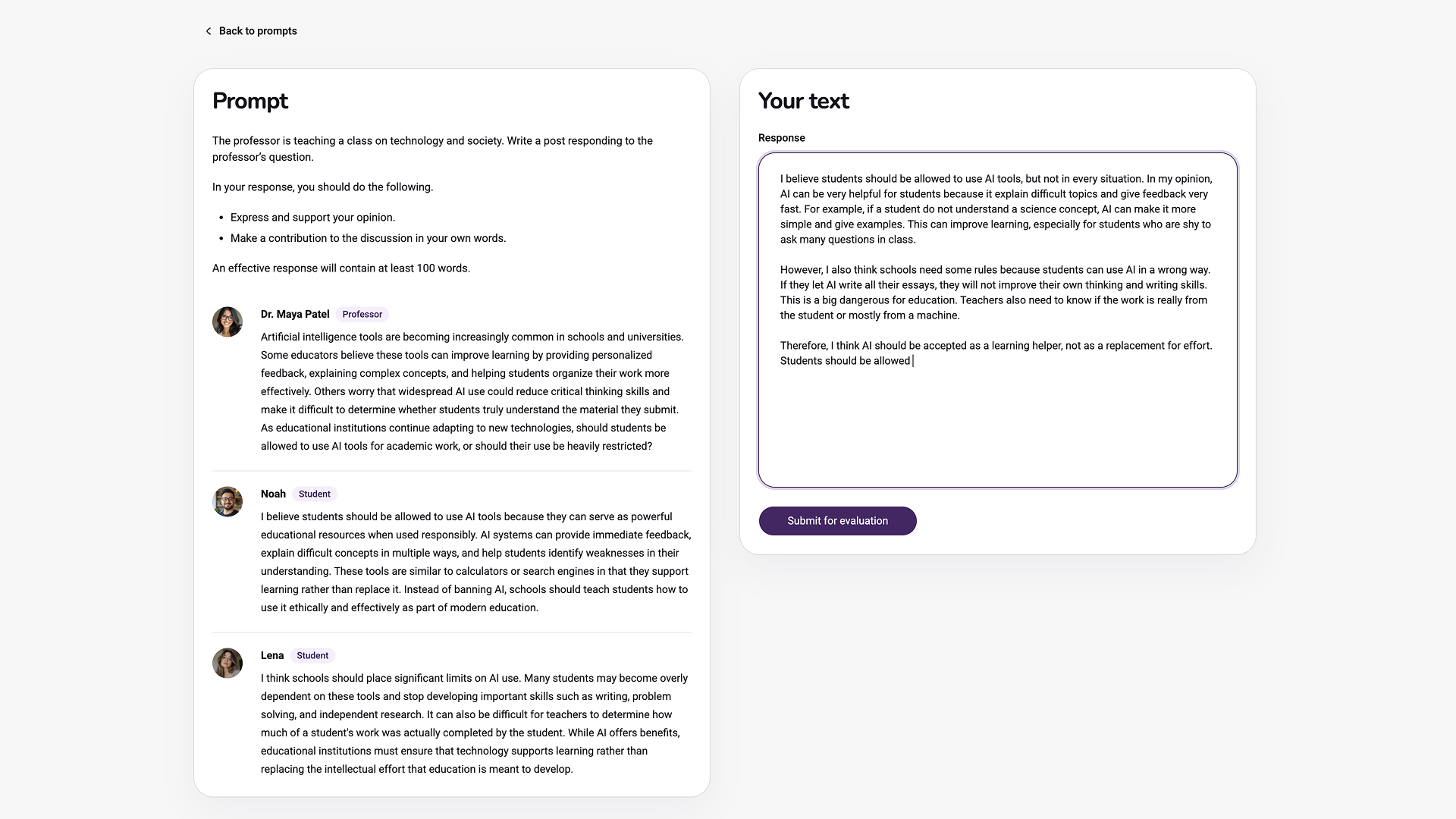
Pick a prompt, write your response, and get structured feedback in a desktop workspace designed for deep practice.
Download for macOS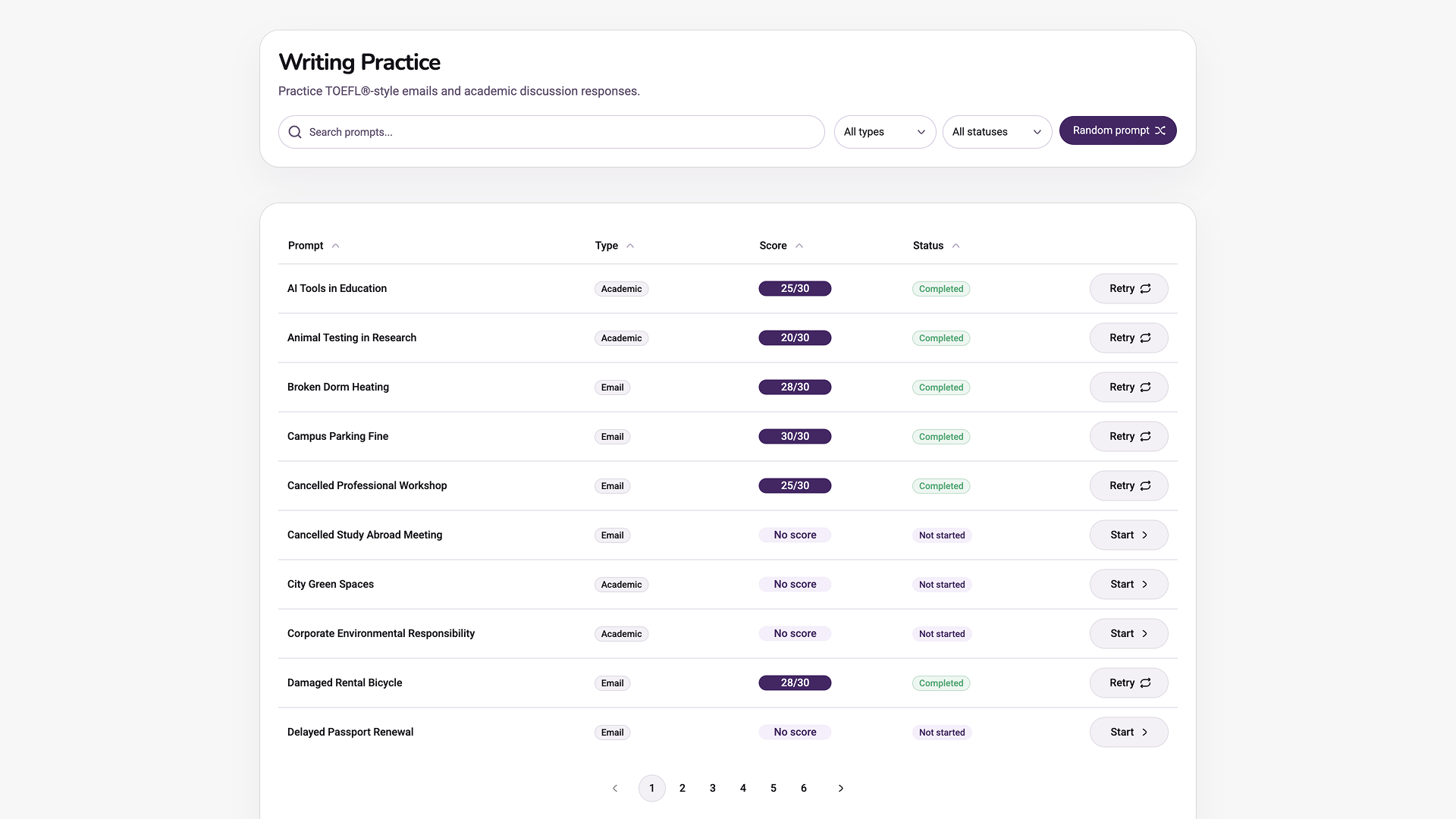
Everything you need for focused Writing practice — completely free.
TOEFL®-style emails and academic discussion tasks, ready to practice.
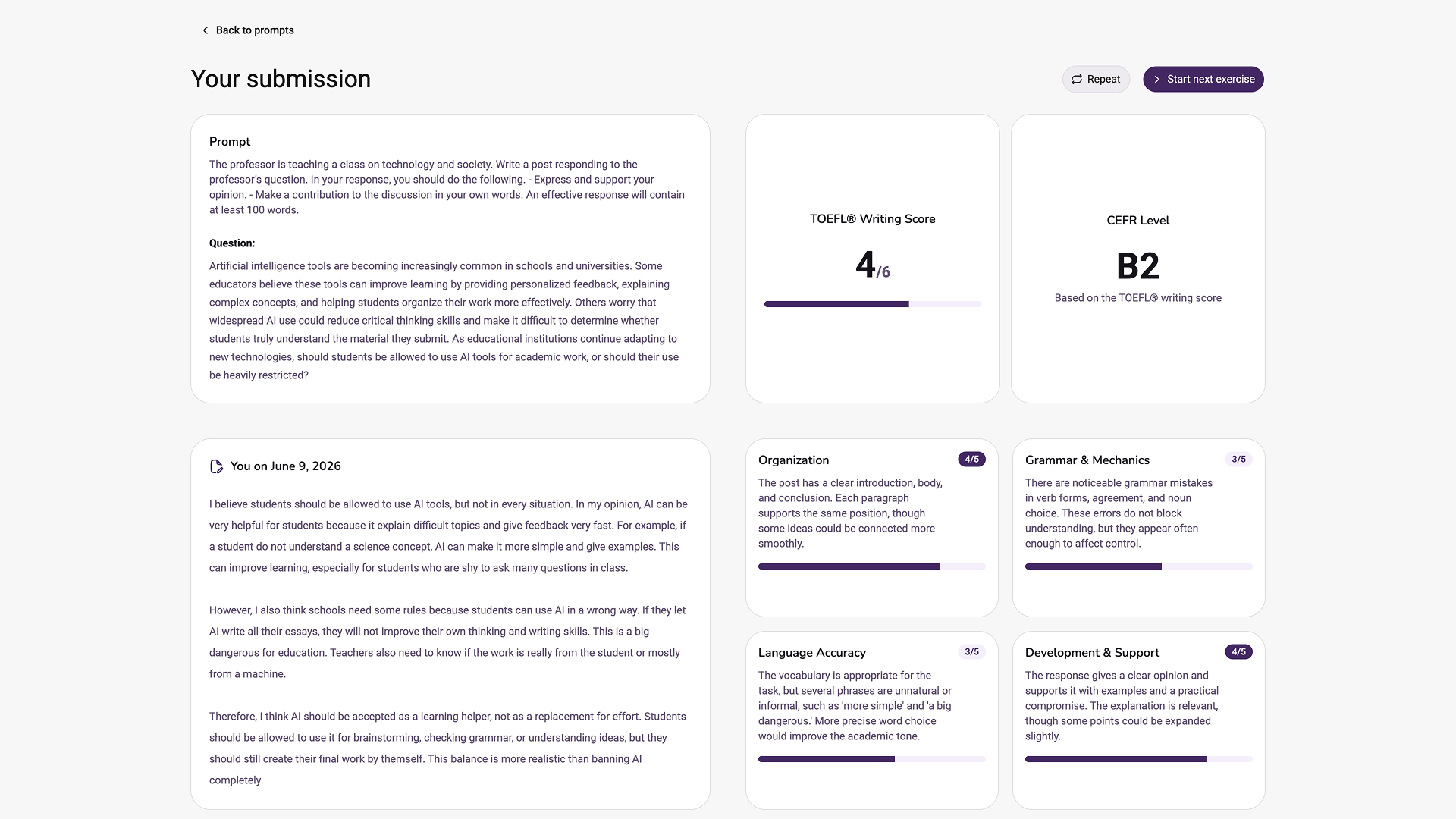
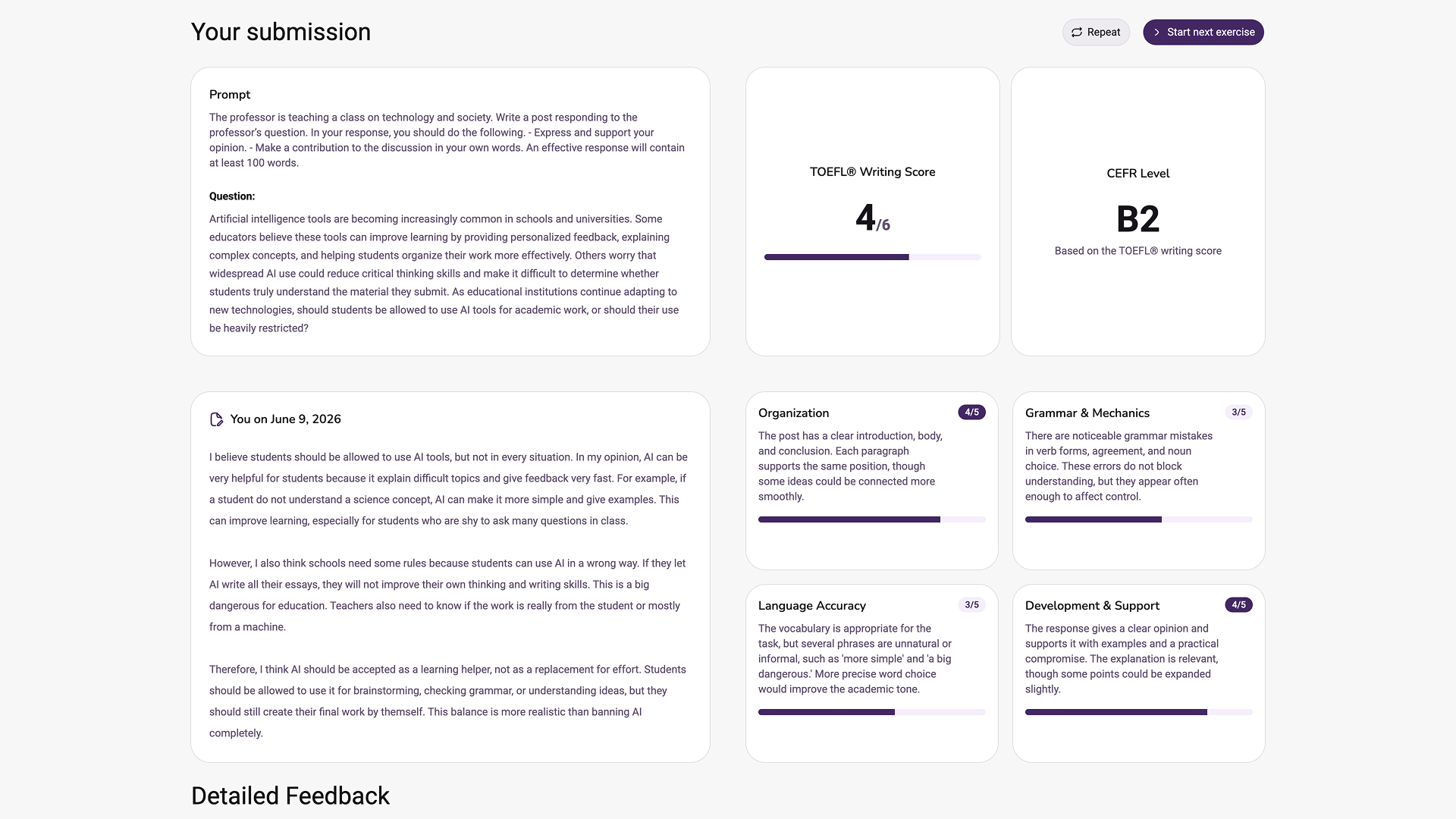
Overall TOEFL® score, CEFR mapping, and 4 criterion subscores.
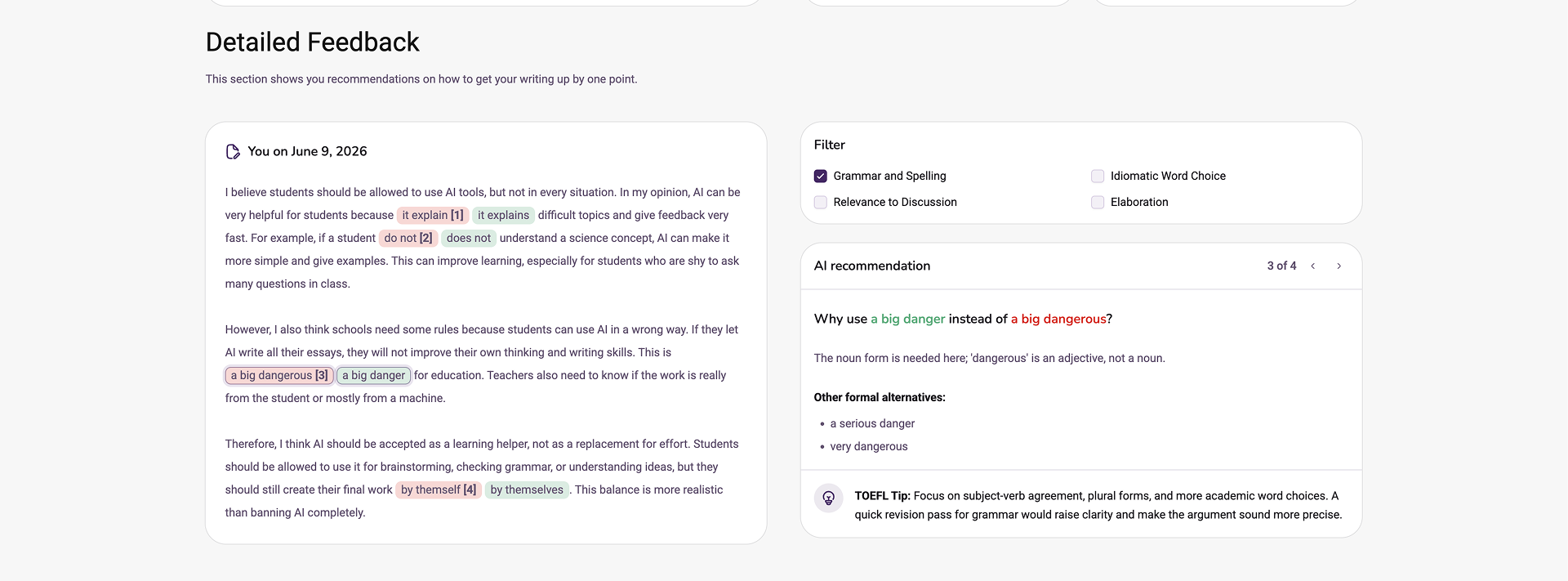
Inline highlights show what to change, why, and what sounds more academic.
Every attempt is saved locally. Revisit old essays and watch your scores climb.
Every essay and evaluation is stored locally so you can review your progress and revisit old work anytime.
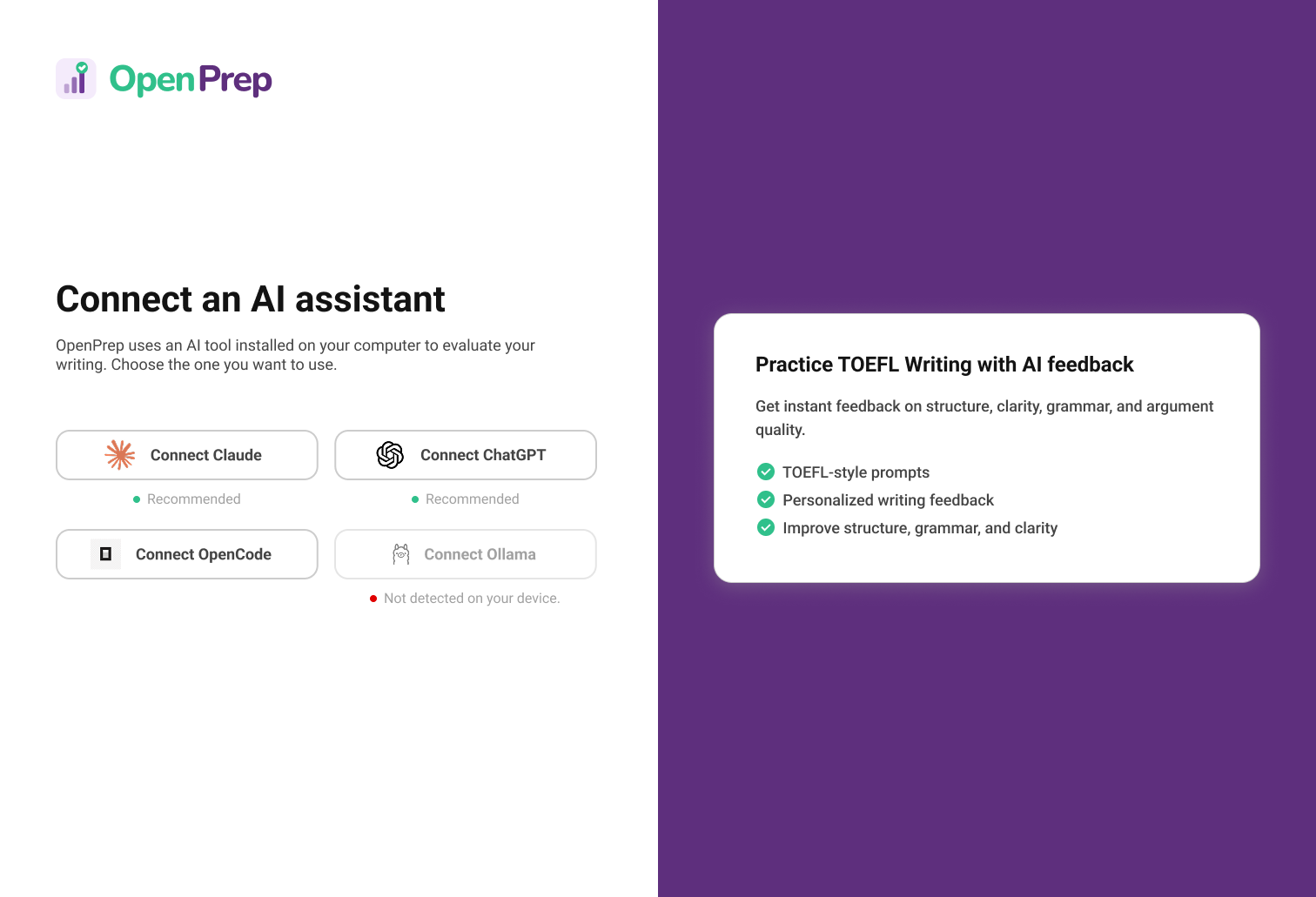
Connect ChatGPT, Claude, OpenCode, or Ollama — whatever you already use.
Turn your existing AI subscription into a personal TOEFL® Writing coach.
Get scores, criterion notes, and improvement suggestions in a structured format — not a long chat transcript.
See exactly which phrases to replace, why they fall short, and what formal alternatives work better.
OpenPrep is a local desktop app designed for focused writing sessions. No browser tabs, no notifications, no copy-paste — just you, the prompt, and your essay.
Review your overall score, CEFR level, and detailed criterion breakdowns in one clean view.
The prompt stays visible beside your response so you can stay in the essay without switching tabs.
Learn the test, compare tools, and get more from your AI feedback.
Task types, scoring, rubrics, templates, and a 4-week study plan.
Compare the best free TOEFL® Writing practice resources.
See how OpenPrep compares to the leading paid prep platform.
How to get structured, actionable feedback on your essays.
Prompts and workflows for practicing with ChatGPT.
Realistic prompts and a sample response for the new task.
Free, open-source, and built for learners who want structured feedback without a subscription.
Download OpenPrep for macOSOpenPrep is a free, open-source (MIT) desktop app for macOS. It helps learners practice TOEFL® Writing with structured AI feedback using tools they already have.
Connect ChatGPT via Codex, Claude Code, OpenCode, or local Ollama models. Then pick a curated TOEFL®-style prompt, write your response, and get back an overall score, CEFR level, criterion subscores, improvement points, and phrase-level recommendations.
Every attempt is saved locally on your Mac. There is no subscription, no usage limit, and no data is sent to OpenPrep servers.
Everything you need to know before downloading.
Yes. OpenPrep is MIT licensed and free forever. No subscription, no usage limits, no hidden costs.
No. It works with whatever AI tools you already have — ChatGPT via Codex, Claude Code, OpenCode, or local Ollama models.
No. OpenPrep is an independent open-source practice tool. TOEFL® is a registered trademark of ETS.
Very easy. Download the macOS DMG, open the app, and click your installed AI tool. No config files or API keys.
On your Mac. OpenPrep saves every attempt locally so your practice history is always available, even offline.
Yes — the architecture supports multiple exams and sections. Writing is the first focus; more exams are planned.
